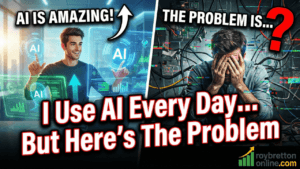
In this video and blog post, my title is, I use AI every day – but here’s the problem. I use AI every day. In fact, I use ChatGPT so often that it has become part of my normal workflow for running an online business and creating content. It saves time, helps me think through ideas, and can be very good at giving structured answers.
But here’s the problem.
Sometimes AI gets things completely wrong — and it can do it in a way that looks confident, detailed, and believable. If you’re not careful, it’s easy to repeat something that simply isn’t true.
Why I’m Talking About This
I’m not “anti-AI” at all. Quite the opposite. I use it for brainstorming, content planning, repurposing, and workflow tasks. I also like using it to keep my work organised so I’m not juggling endless conversations and losing track of what I’m doing.
If you haven’t seen it, this post shows how I keep ChatGPT structured using Projects:
AI can be a massive advantage — but only if you treat it as a tool, not as a source of guaranteed truth.
The Real Example: Camtasia and the “Teleprompter” That Doesn’t Exist
I’ve used Camtasia for years (around 15 years, give or take). It’s the software I use to record my screen and edit my videos, and it does what I need it to do.
Recently, I had a simple question: I wanted to use a script while recording, ideally in a way that would help me look closer to the camera. Because I have three monitors, I can place a script on another screen, but I was hoping for something more seamless.
So I asked ChatGPT.
It told me that Camtasia has a built-in teleprompter.
Not only that — it gave me step-by-step instructions that looked completely realistic: menus to click, settings to change, and what should happen once it was enabled.
The issue is very simple:
Camtasia does not have a built-in teleprompter feature.
I checked inside Camtasia. I checked the menus. I checked my version. I also searched online. The “teleprompter” feature ChatGPT described just isn’t there.
Why This Matters (Even If It Sounds Like a Small Issue)
This is where AI can catch people out. The answer looked convincing. It sounded like something that should be true. And because it came with detailed steps, it would be easy to believe it and move on.
Now imagine if the topic was more serious than a software feature. If you use AI for anything technical, financial, legal, medical, or even business advice, you can see why this is a problem.
AI can be confidently wrong.
The Bigger Lesson: AI Is Powerful, But You Must Verify
This is the approach I recommend:
- Use AI to speed things up (ideas, drafts, outlines, workflows, first-pass research).
- Verify anything factual (features, settings, prices, dates, rules, platform changes).
- Be especially careful with tutorials (because viewers assume you’ve tested it).
- Don’t confuse “detailed” with “accurate” (AI can generate detail that sounds right).
A Practical Tip for Content Creators
If you publish tutorials (like I do), accuracy matters. It’s very easy to repeat an AI answer in a video and only later realise it’s incorrect. That can damage trust, and it can also lead viewers down the wrong path.
This is why I prefer to test things on-screen, show real steps, and keep my content grounded in what actually works.
If you’re into Camtasia tutorials, you might also find these useful:
- How To Move Or Hide Your Webcam In Camtasia
- Why I Turn Rev Off In Camtasia
- How To Remove The Cursor In Camtasia
AI “Slop” vs Real Help
There’s another angle to this as well. The internet is filling up with low-effort AI content that looks polished but doesn’t say much, doesn’t help much, and sometimes isn’t even accurate.
I’ve written about that here:
AI is best used to support real experience — not replace it.
Where AI Still Helps Me (When Used Properly)
Even after this Camtasia example, I still use AI constantly. The key is using it in areas where it shines and keeping control of the final output.
Here are a few examples of AI-related posts you may find useful:
- How to Create a YouTube Thumbnail Using ChatGPT
- How to Use Canva AI to Create YouTube Thumbnails
- How To Punctuate YouTube Transcripts Quickly
Final Thoughts
The moral of the story is simple:
Use AI, but don’t trust it blindly.
It can be extremely helpful, but it can also produce mistakes that look completely believable. If you’re creating content, teaching others, or making business decisions based on AI output, always double-check.
If you’ve had AI give you a confident answer that turned out to be wrong, feel free to share your experience in the comments. I read them and I’m always interested to hear how others are using these tools in the real world.
Thanks for reading.